This article was written on 6 November 2026.
AI tools change fast. The choice of whether to stop a person, slide in beside them, or lift a sheet from the bottom does not. Dialog, drawer, bottom sheet, dropdown, tabs, accordion — these are ways of asking. Product menus will move. Read this as a choice about interruption, not as a catalogue to memorize.
A section on the page can hold facts that are always true: the address, the price, the hours. Some facts are in the way if they are always on the page, and missing if they are a new page away. Filters. A short confirmation. A long answer almost nobody wants open. The everyday word for all of these is “popup.” That word is why the model guesses. Split the decision into three questions. Must the person stop? May the page stay visible? Is this only a different slice of the same list?
Stop, share, or switch
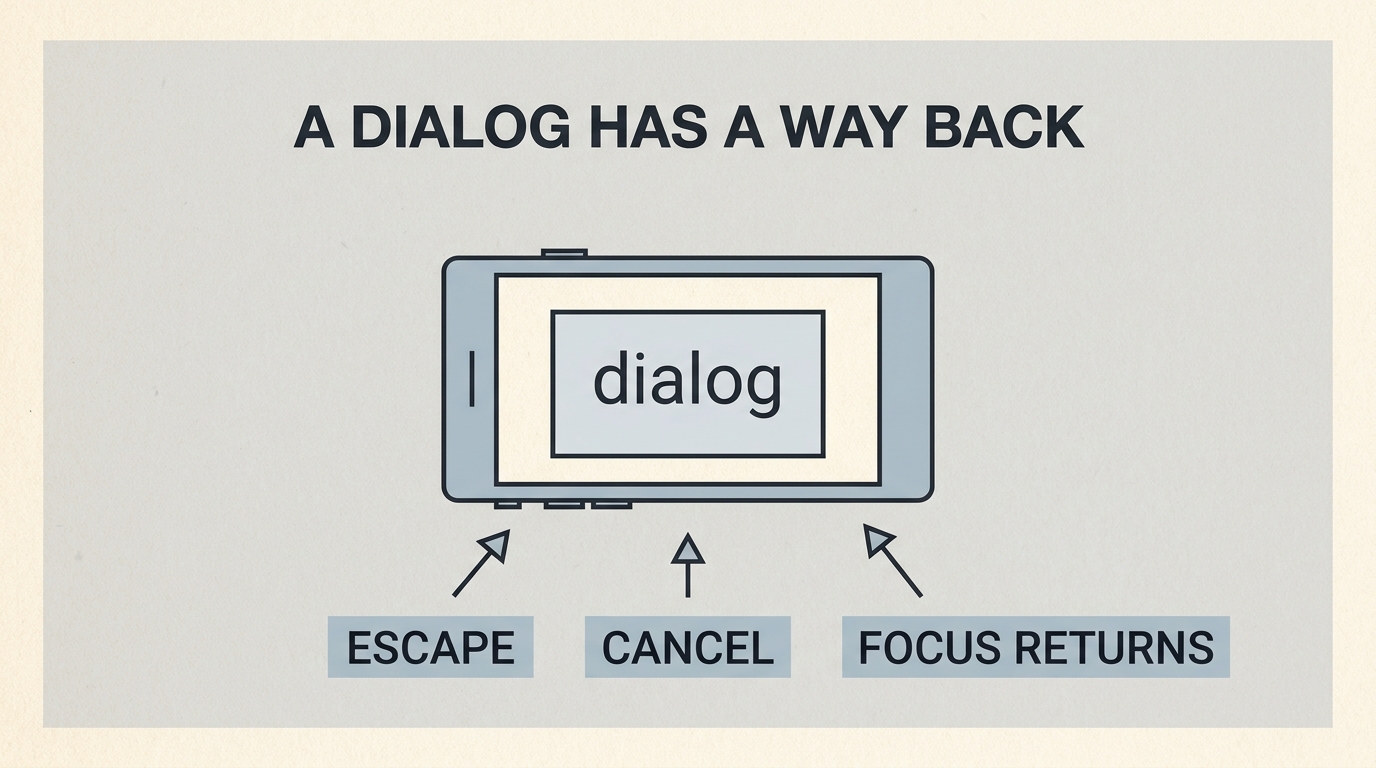
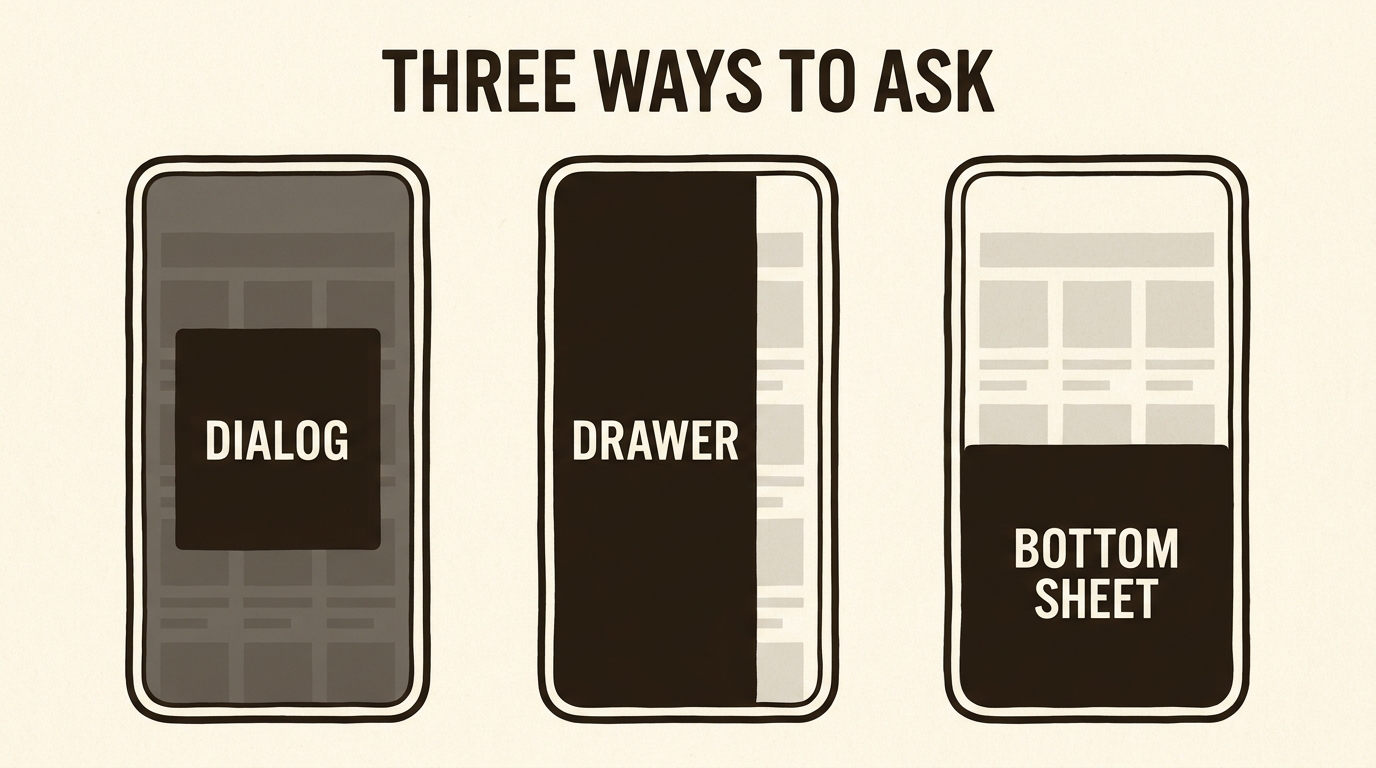
A dialog (also called a modal) sits in the center and dims the rest. Use it when the person must answer before anything else is safe: delete this record, confirm this booking, fix this empty required field. It is a bad place for an essay, a menu, or a surprise announcement. While it is open, keyboard focus belongs inside it. Escape, or an explicit cancel, closes it and returns focus to the control that opened it. If you do not say that, a model often draws a box with no way back for a keyboard, and a person who does not use a mouse is stuck. That is not a detail for later. It is the condition.
A drawer slides from the start edge and leaves the page in sight. Use it for work that refers to the page: filters on a list, a trail of details, settings that are not a crisis. Close it with Escape or a tap outside. On a right-to-left page the start edge is on the right. Say “start edge,” not “always from the right,” or the drawer will open against the writing.
A bottom sheet rises from the bottom of the phone. It is the drawer’s cousin for a hand holding the device low. Use it for a few actions on the thing just tapped: call, save, share. Do not use it for a form with twenty fields. The sheet should stop at a peek, or at half, and it should close by dragging down or by Escape. If your language has no settled name, do not invent one. “A panel that rises from the bottom” plus bottom sheet is the whole lesson.
Same place, different slice
A dropdown opens a short list next to a control and closes when a choice is made. Languages, sort order, a quantity. It is not a second navigation and not a place for paragraphs. If the list has more than about ten lines, it wants a page or a drawer, not a floating menu that runs off the phone.
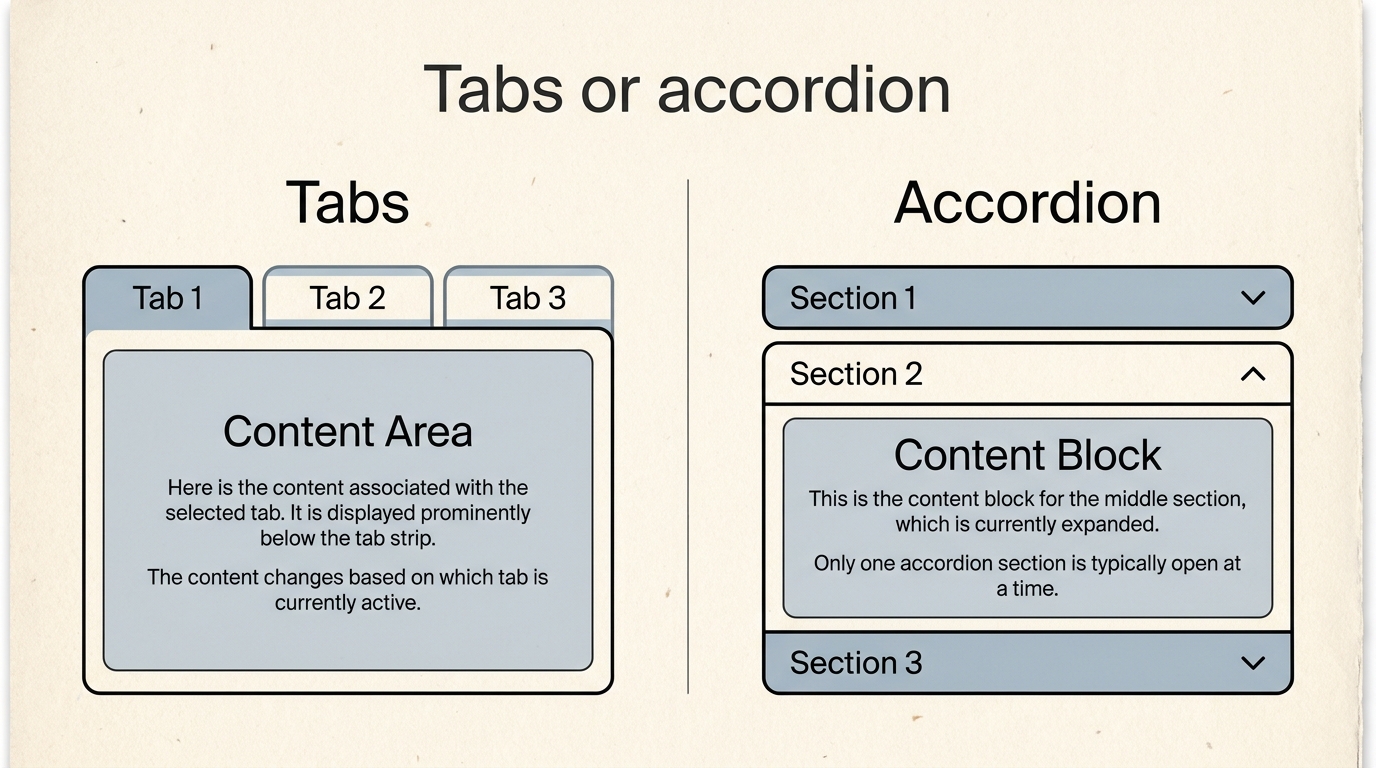
Tabs keep several views in one spot. The person switches sideways. The views are peers: this week and next week, description and ingredients. All tab labels should stay visible. Hiding them inside a dropdown means they were never tabs.
An accordion stacks questions and opens downward, one at a time or several, but say which. Use it for answers most people skip: shipping rules, a long FAQ. Do not put the only copy of the price inside a closed accordion. Closed is a guess that the person does not need it. Prices are not that kind of fact.
Tabs and accordions are often confused because both “save space.” Tabs replace what you see and keep the other labels in view. An accordion pushes the page down and hides the answer until it is opened. If you tell a model “save space,” you will get one of them at random. Name the one that matches how the person looks.
Two wrong shapes at the same desk
A class list needed two different asks. One was dangerous: cancel this student’s place. One was ordinary: show only the evening classes. The first version put both in the same “popup,” because that was the only word in the brief. Cancel became easy to tap by accident, and the evening filter hid the list the teacher was still reading. Same word, two jobs, both done badly.
The repair was to split the word. Cancel opens a dialog. The rest of the page dims. The sentence says who will lose the place. Escape and a visible cancel both close it, and focus returns to the button that asked. The evening filter opens a drawer from the start edge, the list stays visible beside it, and a tap outside closes it. On a phone the same filter can be a bottom sheet, because the hand is already at the bottom. The teacher does not have to learn three products. They have to learn which moment is allowed to stop them.
Write that distinction in the reader’s language so the teacher trusts it, and paste the English names so the model cannot merge them back into one popup. If a language has no everyday word for drawer, “a panel from the edge that does not hide the list” is the definition. Do not spend the afternoon inventing a nobler noun. The behavior is the lesson.
One brief
On the list page, put filters in a drawer from the start edge, not in a dialog. Close the drawer with Escape or a tap outside. Keep focus inside the drawer while it is open, and return focus to the filter button when it closes.
Under that, in your language, name the actual filters. The model can build a drawer without knowing that the filters are neighborhood and price. You cannot decide that in English you do not speak. The shape is shared. The facts stay local.
People argue about which of these looks modern. The useful argument is which one respects the task. Stopping a person in order to ask for a sort order is rude. Hiding a destructive confirm inside a quiet dropdown is dangerous. Once those two sentences are easy to say, you have passed this part of the work. The next part is smaller and easier to skip: telling the person, without a new page, whether the thing worked.