This article was written on 13 August 2026.
AI tools change fast. This piece reflects Google NotebookLM (also showing up as Gemini Notebook) as of that date. Names, quotas, and Studio tiles may already look different next month. Read it as a method you can reuse — not as a screenshot-perfect click tour.
Before you start: open notebooklm.google.com. If the notebook loads, the method below works even when a newer Studio format is missing in your language. Then check Settings → output language. If a video format is stuck in English, use slides, Audio Overview, or Explainer video instead. Do not use a VPN to fake a region; it is not how we work here.
For a few years the fashionable AI skill was prompt engineering: write a longer instruction, get a cleaner answer. That still helps. It does not stop a general chatbot from inventing a citation, because it is answering from a giant soup of training data. NotebookLM is the other bet. You put the files in. It is supposed to answer from those files, with citations you can open.
That sounds small. At work it is the difference between “an essay about our policy” and “a paragraph that actually came from our policy.” The quality gap between two people using the same buttons is almost never the prompt. It is which sources they allowed into the notebook.
What you are actually building
Think of a notebook as a small, stubborn librarian. PDF, Docs, Slides, websites, YouTube (when a transcript exists), images, and meeting audio can all sit in one pile. Free accounts are enough for this method — Google still caps how many sources fit in one notebook, and paid plans raise the cap, but fifty carefully chosen sources beat three hundred leftovers.
The product is useful when your material is scattered: a drive folder, three YouTube briefings, a PDF from a ministry, last week’s call. A general chatbot will blend those with the open web. A notebook will not, if you keep the pile honest.
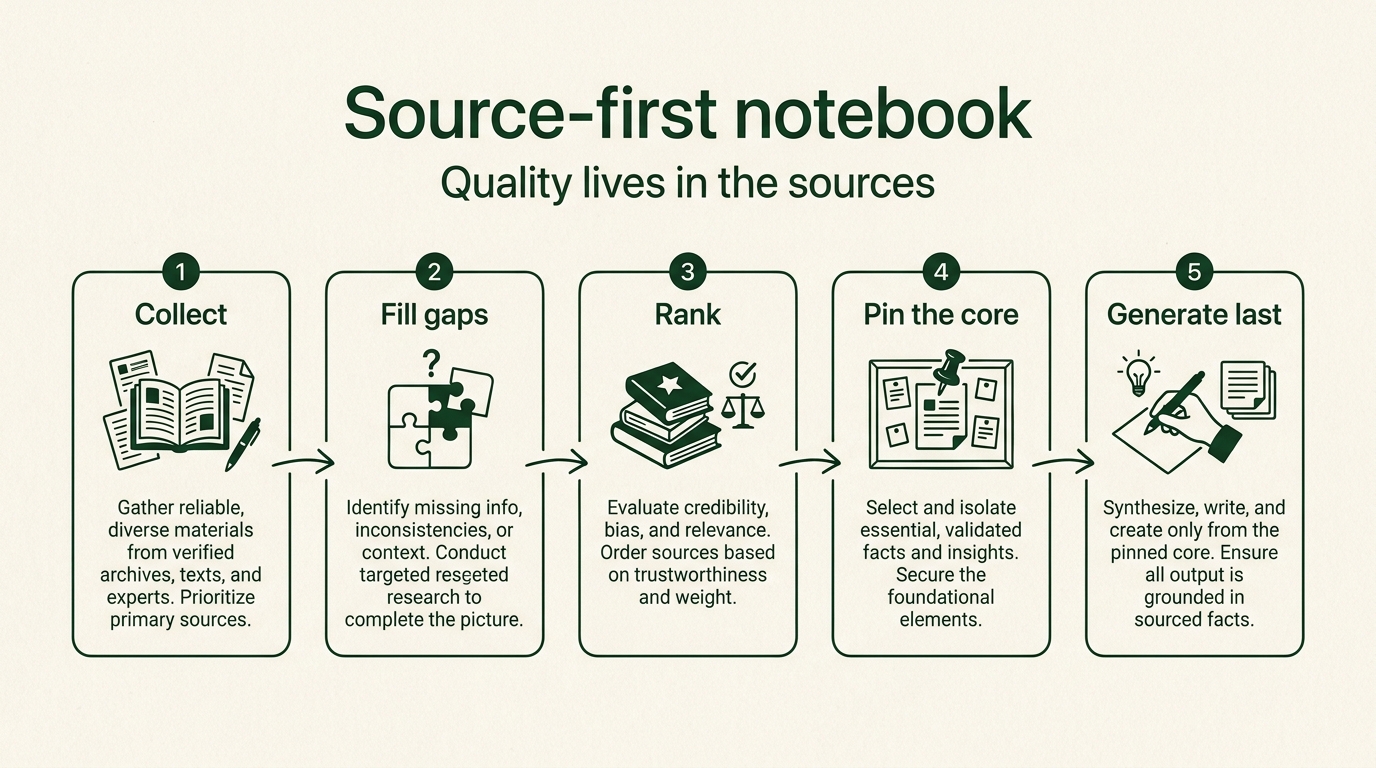
The same English diagram is used on every language page. The work is the pipeline, not the button labels.
The source pipeline (do this before you hit Generate)
1. Collect — then import
Start with a question you would actually take to a meeting: a 2026 industry outlook, a client briefing, a language-study pack. Use the notebook’s source search when you have no files yet. Fast search is fine for a first pass. Deep Research is slower and usually rationed; save it for the report that has to survive a sceptical manager.
Import the results. Delete anything that failed to load (broken pages show up as errors). A menu-only website with no body text is not a source. It is clutter.
2. Fill the gaps on purpose
Ask the notebook: what important angle is missing from this pile? Copy the gap list. Search again for those gaps. This is tedious. It is also where most of the quality appears. If the topic is contested, ask for the opposing view as a second search — not so the model can “be balanced,” but so your pile is.
3. Rank what you imported
Have it classify each source: primary data, secondary summary, opinion, old post. Drop anything that is too old for a fast-moving topic, or that is just repeating a press release. You are not building a library. You are building the smallest set that could defend a claim.
4. Pin the core
Ask for the five themes that actually run through the pile, and which sources carry each theme. Rename those files so they sort to the top (a prefix like 01- or !! is enough). When you generate slides later, select only the pinned set — or one theme — instead of “all sources.”
5. Generate last
Slides, a mind map, Audio Overview, a study guide, flashcards: these are cheap once the pile is clean. The Studio panel will keep growing. Treat every new tile as another printer, not a new brain. If you skip steps 2–4, two colleagues will click the same button and both look generic.
A note on the mind, not just the buttons
Prompt-first work trains a slightly anxious habit: if the answer is wrong, you must have phrased the question badly. Source-first work moves the anxiety to a healthier place. You are responsible for what you fed it. That is closer to how a careful person already works with a junior analyst: check the folder, then trust the memo.
It also lowers the social pressure to “keep up with AI.” You do not need the newest video format to do a Monday briefing. You need a pile you would still defend if the wifi died and you had to talk from memory.
What this article will not do
It will not walk Korean menu names, Kakao-character slide themes, or a creator’s private prompt pack. Those rot, and they do not travel. The next piece in this pair covers labels, the chat-to-source loop, and which Studio outputs still lag by language — including Short video, which as of this writing is English-first.
Open the notebook. Put in three real files from your week. Ask what is missing. That is the whole skill.